Khoa D. Pham, Senior UX Designer at Ontra, 2025–2026. Use the arrow keys or the buttons below to move through the slides.
Where it started
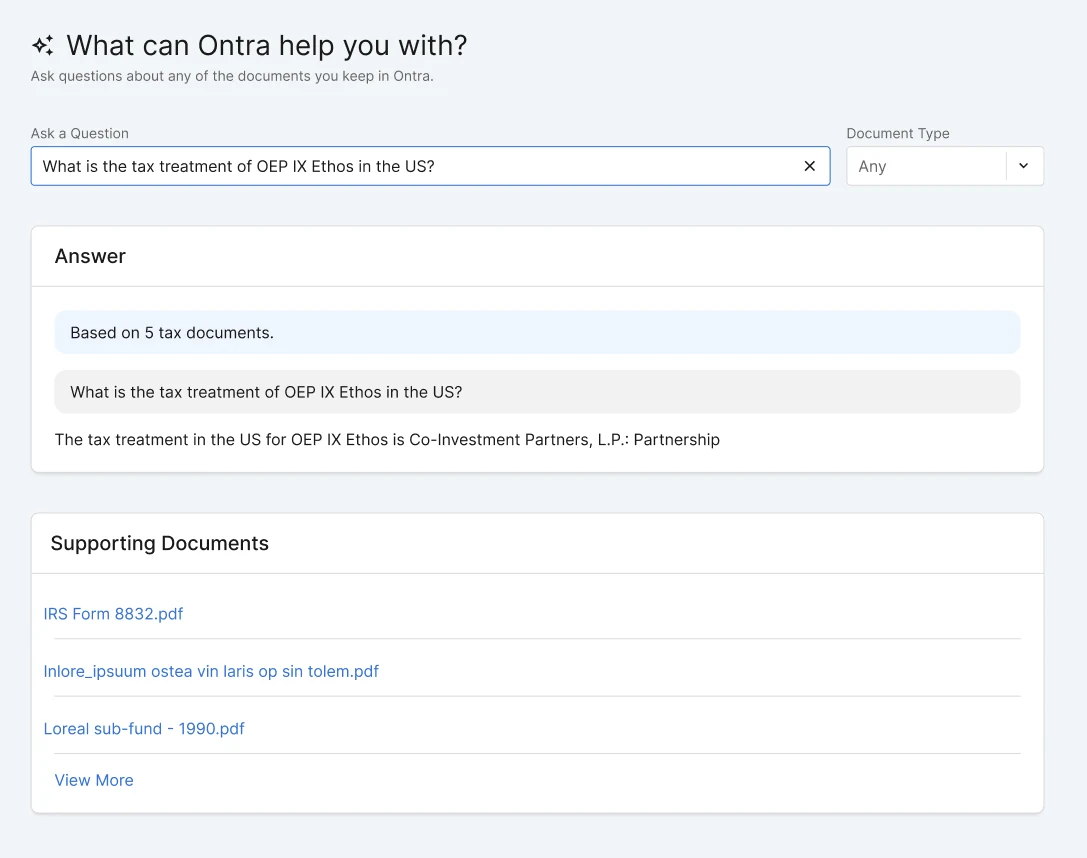
Obligations AI Search was a legacy product that allowed users to ask one question and get one answer about their legal obligations in their documents.
You could only ask one question and get one answer.
It listed sources it used to generate the answer but could not show you specifically what, where, or how it arrived at that answer.
It served only two document types while customers needed answers on their many document types.
It was slow
The legacy experience: one question, one answer, and a list of files with no pointer to where the answer came from.
Listen first, then widen
Ran co-development and discovery calls with customers for 6 months.
Built async discovery forms and weekly feedback, performance, and retention reports, which other designers began to adopt.
Used customer feedback to inform design decisions and prioritize features for mvp, general availability, and future enhancements.
Launched Ontra AI for Fund documents, then worked with customers on Credit and Atlas, with personas and use cases for compliance teams.
The opportunity map from discovery: customer problems by theme, ranked by when we would tackle them, with the evidence behind each one.
Make the answer easy to trust
The problem: customers needed "clearer visibility into the sources and citations behind the answers" so they could verify them quickly, but the old search only listed files. It was also "too slow," which customers said was "breaking my workflow."
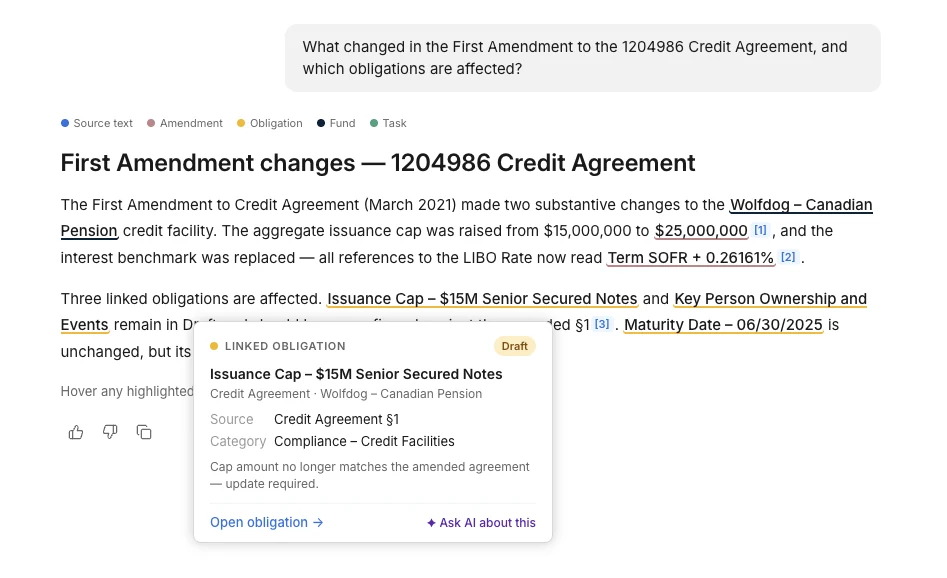
Aligning with the user's mental model: Answers stream in as soon as there is something to show, and the thinking steps stay visible while it works.
Show evidence early and often: Provide clear, tangible proof to support each answer as soon as it's available.
Provide context and control: Citations open in a split screen, and hovering an inline citation shows the source text for less context switching.
Improve conversation management: Chats are named automatically to give customers better context for their conversations.
Hovering a highlighted item shows its details, related documents, and more information, without leaving the answer.
Speed is a blocker to adoption
The problem: speed and coverage pulled against each other. Quick lookups felt "too slow," while answers to broad questions were often "incomplete, missing key obligations or provisions."
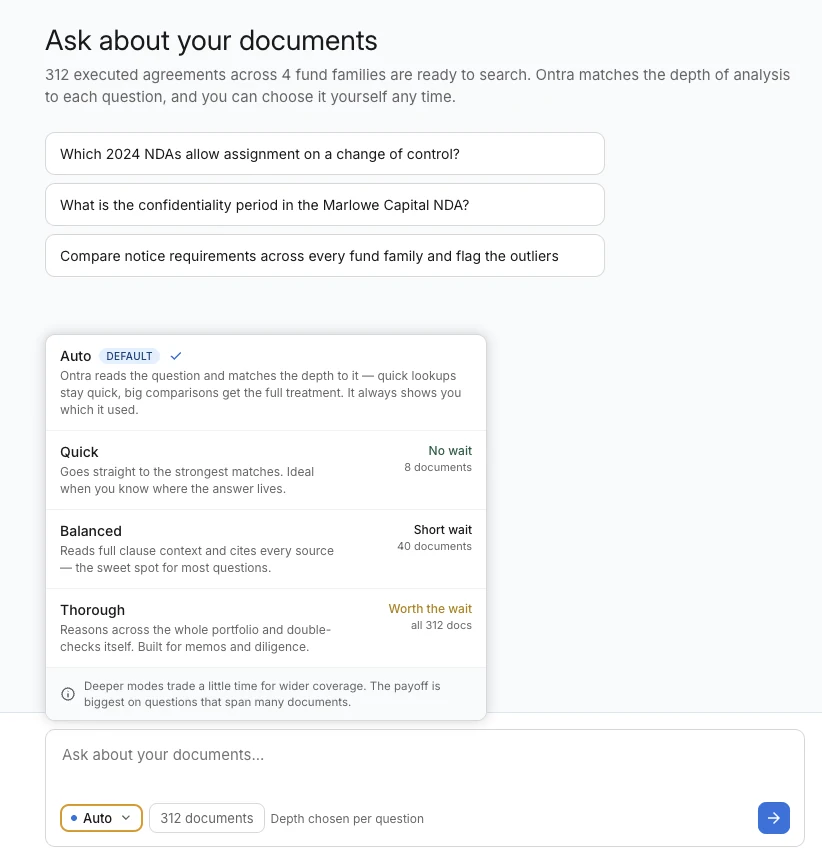
There was no one speed fits all. It needed to be smart enough to adapt. I proposed adding search effort controls with an automatic setting as the default: Ontra matches the depth to each question and always shows which level it used. People can also pick Quick, Balanced, or Thorough themselves, and retry with one click after a weak answer.
Each level says how long it takes and how many documents it reads. Our evaluation showed that more effort made answers more complete but not more correct, so the menu presents deeper modes as more time for wider coverage, not better accuracy.
The effort menu: Auto by default, with each level showing how long it takes and how many documents it reads.
What happened
More people asking more questions
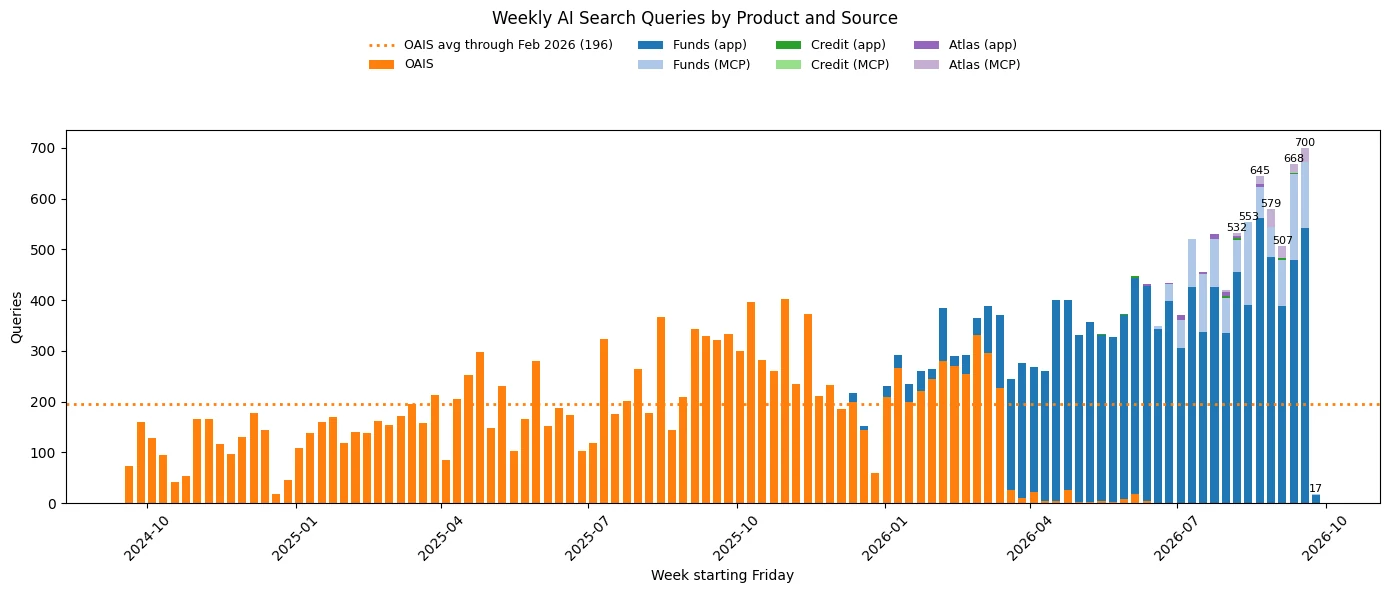
~200 to 700weekly queries, early 2026 to September
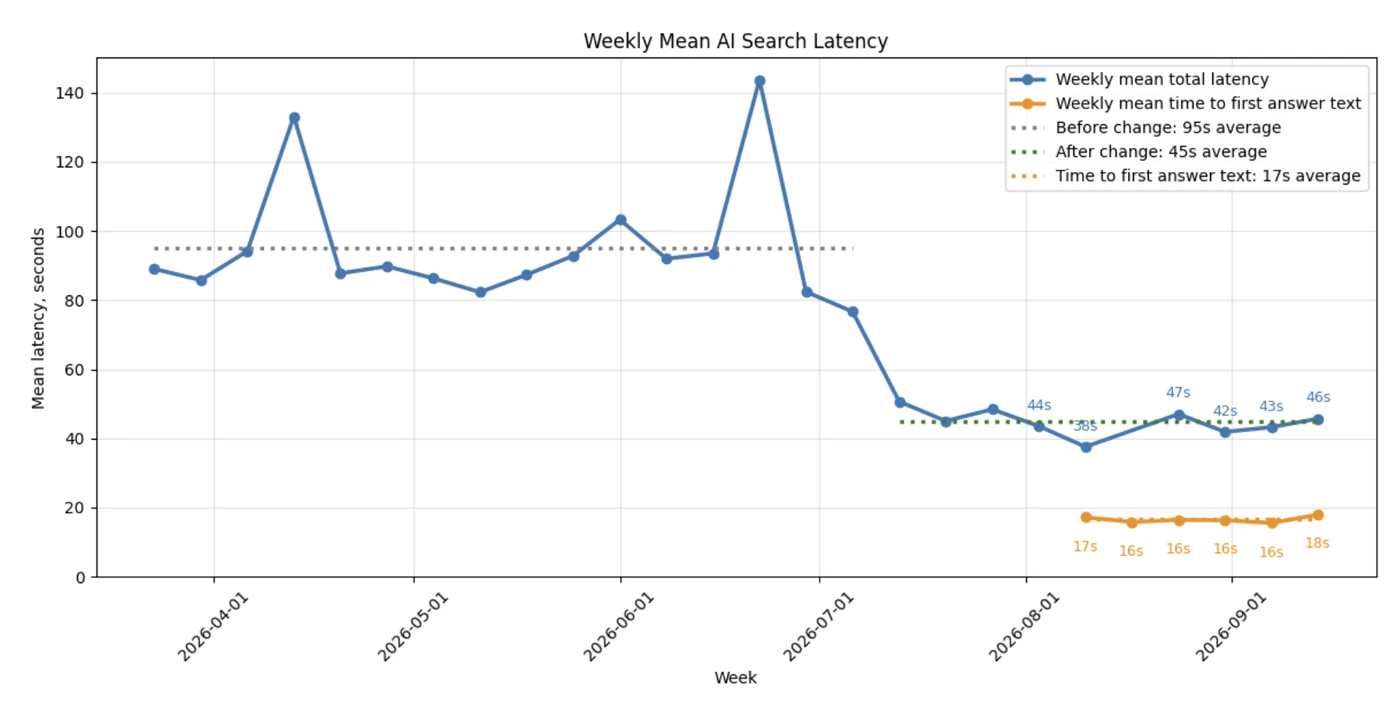
95s to 45smean latency
~17sto first answer text
9% to <0.2%error rate (failed queries and answers with no results), launch day to October 2026
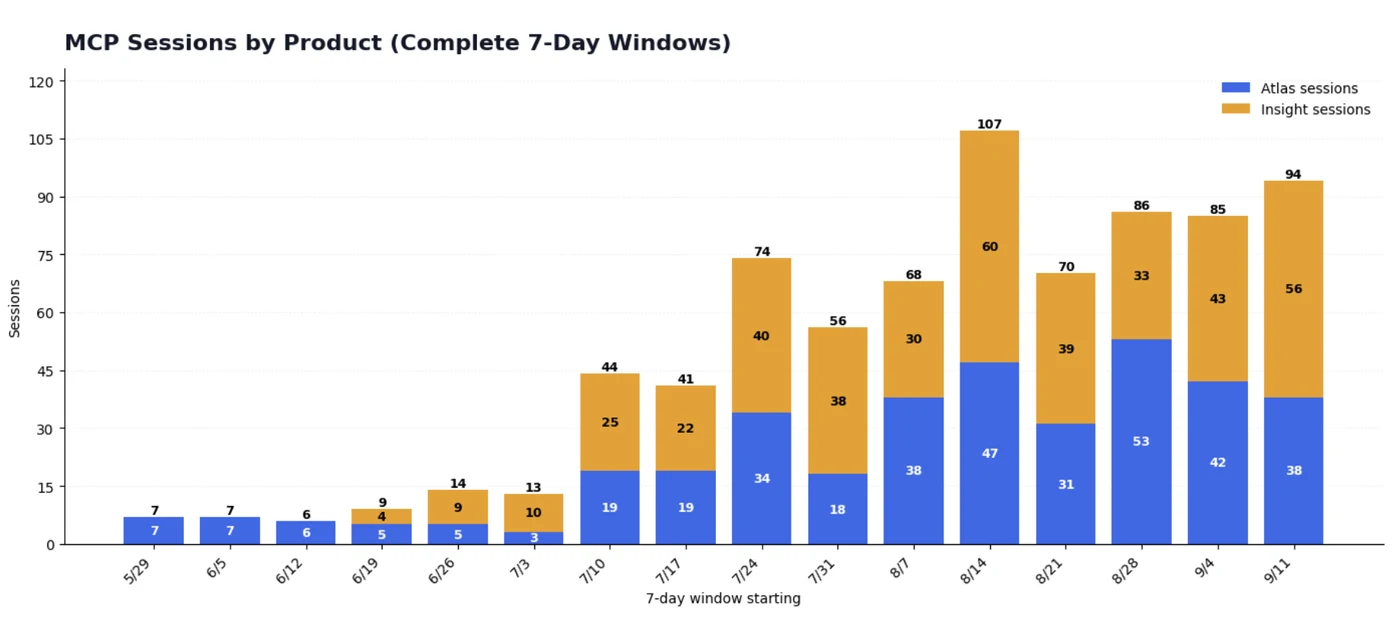
Weekly queries hit all-time highs, driven by Funds. MCP, Ontra's tool connection for outside AI apps, grew from 7 sessions a week in late May to 94 in mid-September.
Weekly AI Search queries by product and source. Funds, Credit, and Atlas each add volume, in the app and through MCP.What happened
Answers arrive in half the time
Cutting latency by more than half did more for the experience than any single screen.
Weekly mean AI Search latency. The average fell from 95s to 45s, and the first answer text appears in about 17s.What happened
A second way in: MCP
MCP sessions per week, for Atlas and Insight (complete 7-day windows).How I worked
Where I used AI, and how I checked it
Feedback: Claude agents in Slack pulled customer feedback and Salesforce notes into one place.
Prototypes: Claude Design for the prototypes linked in this deck.
Code: Claude Code for my pull requests.
Reports: Cortex for the weekly feedback and retention reports.
How I checked it: I verified any claim that looked off against recorded customer calls and usage data, and confirmed the findings with data science.
What I took from it
Measure before designing. The effort work held together because we tested it.
Promise only what the data supports. A claim the data could not back up never reached the interface.
Designers who ship code, even small changes, learn faster. I merged 20+ pull requests in Q3, including my first backend changes, and logged what each one taught me for other designers.
Small, frequent iterations keep momentum and customer buy-in.